MiniMax H3 Music Video Workflow: Prompts, Audio, and Editing
Plan a MiniMax H3 music video with visual beats, performance references, synchronized audio, shot continuity, prompts, credit estimates, and editing.
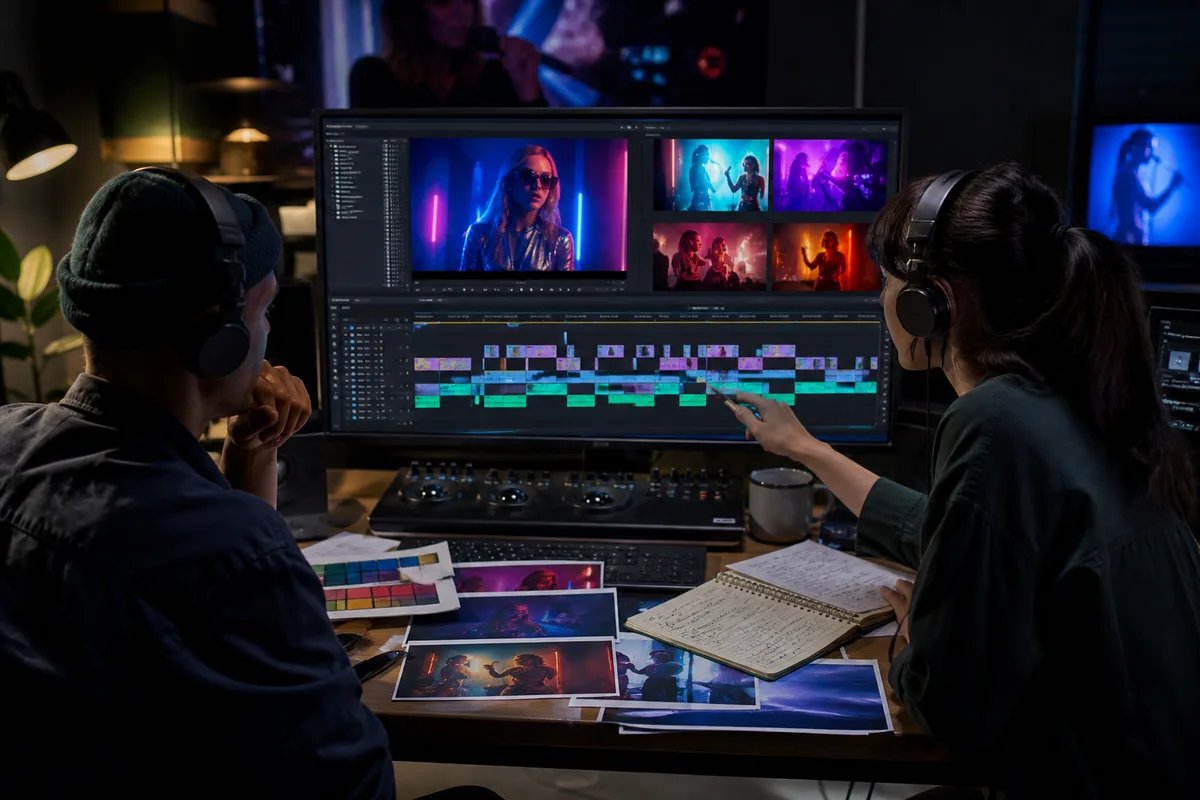
Quick answer: Build a MiniMax H3 music video as a sequence of short, intentional shots. Divide the song into visual beats, define recurring character and color rules, use reference video only for authorized movement or camera rhythm, and generate 4–15 second clips with clear start and end states. Treat generated audio as a creative layer, then assemble and mix the final track in an editor.
A complete music video is longer than one MiniMax H3 generation. The model's documented 4–15 second output is better treated as a shot engine: performance inserts, narrative moments, transitions, visual metaphors, and loops are generated separately and assembled around a mastered song. This approach also makes failures cheaper to replace.
Start with the song map
Before writing visual prompts, divide the track into sections:
| Song section | Visual job | Typical H3 shot |
|---|---|---|
| Intro | Establish world and visual language | Wide environment or object motif |
| Verse | Introduce performer or narrative action | Medium performance and story inserts |
| Pre-chorus | Increase motion or anticipation | Moving camera, tighter cuts, rising light |
| Chorus | Deliver the strongest repeatable image | Hero performance, group movement, transformation |
| Bridge | Create contrast | New location, slow motion, abstract visual |
| Outro | Resolve motif | Return to opening object or controlled final frame |
Mark exact time ranges in the editing timeline. H3 prompts can describe approximate timing inside a clip, but the final synchronization to the mastered song should happen in editing.
Choose a visual system
Write a one-page continuity guide before generation:
- Performer identity, hair, wardrobe, accessories, and makeup.
- Two or three recurring locations.
- Color palette and lighting rules.
- Camera rules for verse and chorus.
- Repeated object or visual motif.
- Aspect ratio and delivery resolution.
- Which scenes contain visible singing.
- Which audio comes from H3 and which comes from the master track.
Without these rules, individually attractive clips can feel like eight unrelated music videos.
Prompt 1: intimate performance insert
Prompt mapped to this video
Intimate performance insert
Ten-second intimate performance film in a narrow rehearsal room at night. A singer with short dark curls, a burgundy jacket, and one silver ear cuff stands at a vintage microphone. Preserve face, hair, jacket, microphone shape, and room layout. Begin in a quiet medium close-up as she looks down. At two seconds, she raises her eyes and sings one sustained word with visible breath. At six seconds, make a slow half-circle move while practical red and violet lights cross the wall. Natural mouth movement, restrained emotion, shallow depth of field, fine film grain. Add close vocal texture, soft room reflections, jacket movement, and no instruments. One continuous shot, no extra performers, no microphone changes, no sudden cuts.
When the final song already exists, use the generated vocal only as timing reference unless the production explicitly wants new model-generated singing. Replace or mix audio in post with the properly licensed master.
Prompt 2: chorus-scale visual
Prompt mapped to this video
Chorus-scale visual
Eight-second cinematic chorus visual inside a vast dark performance hall filled with suspended translucent fabric. The same singer in a burgundy jacket stands alone at center. Preserve identity, wardrobe, body proportions, and hall geometry. Begin with a high wide shot as the fabric hangs still. At two seconds, descend rapidly toward the performer while a controlled wave travels through the fabric. At five seconds, orbit at chest height as crimson and violet light expands across the room. End on a stable frontal medium shot. Powerful but physically coherent motion, synchronized fabric rush, distant hall resonance, one low drum impact, no dialogue, no text, no extra people.
The ending medium shot can connect to another performance clip. First/last-frame mode is useful when an editor has designed exact transition endpoints.
Prompt 3: abstract transition
Five-second abstract music-video transition. Extreme macro of black ink and rose-colored metallic powder suspended in clear liquid. Begin with a still circular form. At one second, a bass-like pressure wave expands through the liquid and separates the colors into thin ribbons. At four seconds, the ribbons converge into a dark circular opening for the next shot. Photorealistic fluid behavior, deep black, crimson, muted violet, sharp specular detail. Add one low underwater pulse and fine granular movement, no melody, no text, no objects.
Abstract inserts are useful when performer identity is unstable or when two locations need a visual bridge. They should repeat the established palette rather than introduce a completely new style.
Use reference video responsibly
A reference video can guide dance, gesture, performance energy, or camera movement. The prompt must say what to transfer and what not to copy. Use movement footage you created, licensed, or have permission to process. Do not assume a public performance clip is available for commercial motion transfer.
For a dancer, start with one identity image and one short movement reference. Ask H3 to preserve the identity and wardrobe from the image while following only the body timing from the video. Avoid complicated full-body choreography in the first test. Confirm anatomy and foot contact before adding camera motion.
Audio strategy
There are three reasonable workflows:
- Master-track first: generate visuals, discard most generated music, and edit to the licensed master.
- Performance reference: use authorized audio to guide pace or singing performance, then replace the final mix.
- Sound-design layer: keep useful H3 ambience and physical effects, then mix them under the song.
Never assume the generated soundtrack matches the key, tempo, arrangement, loudness, or rights requirements of the master. Keep stems organized and preserve a silent or effects-only version when possible.
Shot and credit planning
A 60-second edit might use twelve five-second source clips, but real production needs alternatives. At 768P, one five-second H3 output uses 125 base credits on minimaxh3.pro. Twelve first attempts would use 1,500 credits before references; three variations per shot would use 4,500. Plan fewer hero shots, reuse successful loops, and test identity at four seconds before generating longer performances.
Use 2K selectively for close-ups, hero chorus shots, and clips that need cropping. A transition hidden under motion blur may not need the same resolution budget.
Editing workflow
- Build the song timeline and place markers.
- Generate low-cost identity and movement tests.
- Approve a continuity reference for performer and color.
- Generate hero shots, then supporting inserts.
- Label every clip with prompt version, seed if available, settings, and cost.
- Cut visuals to the master track.
- Mix selected generated effects beneath licensed audio.
- Add exact titles, captions, credits, and disclosures in post.
- Review identity, flicker, motion, lip sync, and rights before delivery.
The native audio guide provides sound-prompt details, while the reference guide covers motion and voice roles.
FAQ
Can MiniMax H3 generate a full music video?
It generates short clips up to the documented duration. A full video should be assembled from planned shots in an editor.
Can I upload a commercial song as audio reference?
Only upload audio you own or are authorized to process. Distribution and derivative-use rights require separate review.
Should I keep MiniMax H3 generated music?
Keep it only when it fits the creative and rights requirements. Many productions use H3 effects or timing and mix a licensed master track in post.
How do I keep the performer consistent?
Use controlled identity references, a continuity sheet, repeated wardrobe and lighting language, and shorter shots with intentional endpoints.
Primary sources
- MiniMax H3 official announcement
- MiniMax H3 V2 API reference
- MiniMax H3 official prompt documentation
Last verified August 7, 2026. This independent workflow is not affiliated with MiniMax. Use only music, identity, voice, and movement references you are authorized to process.
Categories
More Posts
MiniMax H3 Game Cinematic Prompts for Trailers and Concepts
Create MiniMax H3 game cinematics with prompts for character reveals, environments, UI moments, combat teases, native audio, consistency, credits, and editing.
MiniMax H3 Product Video Prompts for Ads and E-Commerce
Create MiniMax H3 product videos with prompts for beauty, technology, food, and e-commerce ads, including settings, references, cost, and quality checks.
MiniMax H3 UGC Video Prompts for Social Ads and Creators
Create MiniMax H3 UGC videos with prompts for testimonials, demos, lifestyle hooks, dialogue, vertical framing, character consistency, audio, and cost control.
Newsletter
Join the community
Subscribe to our newsletter for the latest news and updates