MiniMax H3 Product Video Prompts for Ads and E-Commerce
Create MiniMax H3 product videos with prompts for beauty, technology, food, and e-commerce ads, including settings, references, cost, and quality checks.
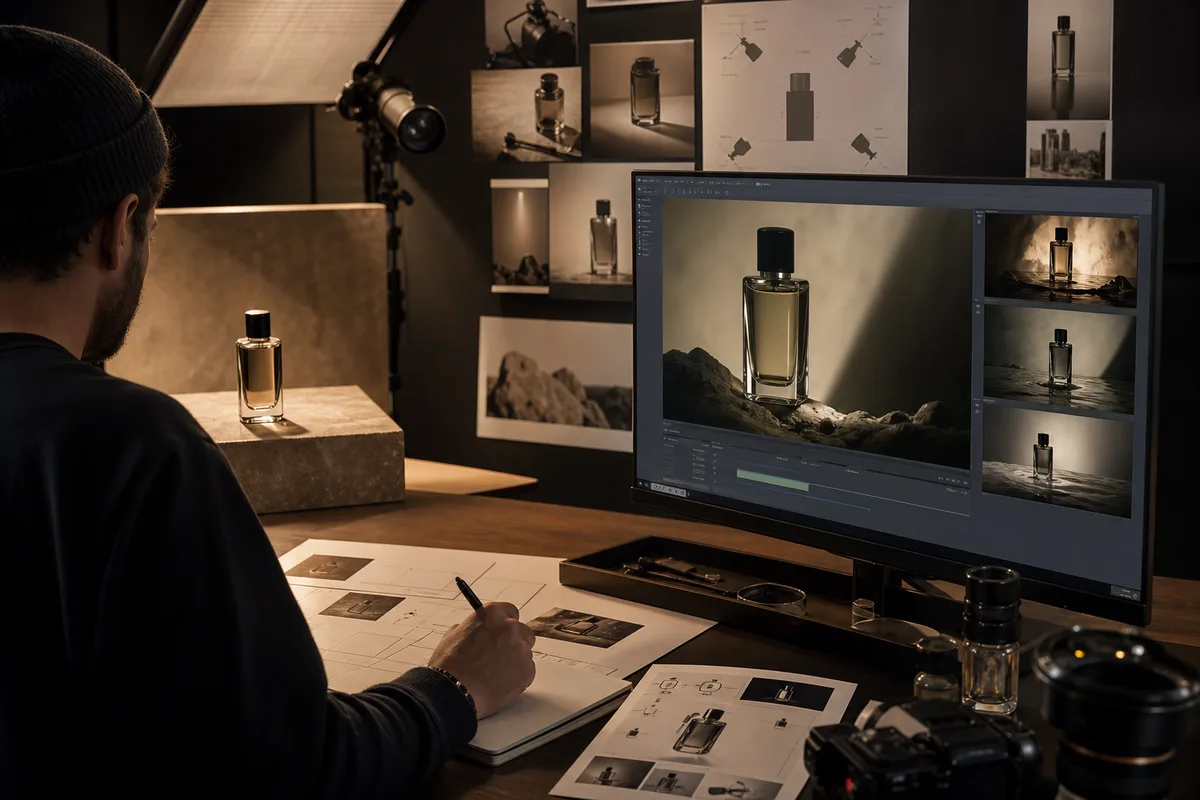
Quick answer: A strong MiniMax H3 product video prompt locks product geometry first, then describes one action sequence, one camera path, material behavior, lighting, sound, and exclusions. Start with a four- or five-second 768P test, use a clean product reference when identity matters, and move to 2K only after shape, label, and reflections remain stable.
Product advertising is a strong MiniMax H3 use case because the model combines text direction with image, video, and audio context. A product image can establish geometry and branding, a video can guide camera movement, and audio can guide the sound character. The challenge is that commercial shots are less forgiving than general cinematic scenes: a beautiful clip is unusable when a bottle changes shape, a logo mutates, or a phone gains a second camera.
Choose the generation mode
Use text to video for fictional products, mood studies, packaging concepts, and early art direction. Use first frame when the approved product render must be the opening composition. Use first and last frame when the shot must land on a controlled end card or final arrangement. Use multimodal reference when identity, camera, movement, and sound come from different authorized assets.
Do not upload redundant product images from conflicting angles unless the prompt explains their purpose. Begin with one clean hero image on a simple background. Add a material or movement reference only after the product remains stable.
Product prompt structure
A reliable commercial brief contains:
- Deliverable: product film, social ad, e-commerce loop, launch teaser, or end card.
- Product lock: shape, color, label, buttons, proportions, and materials that must not change.
- Timed action: what happens first, next, and last.
- Camera: shot size, lens feeling, movement, focus, and whether cuts are allowed.
- Light and material: reflection width, highlight behavior, surface texture, background, and palette.
- Sound: physical effects, ambience, music, and timing.
- Exclusions: extra objects, text changes, deformation, duplicated parts, hands, or watermarks.
Prompt 1: premium technology reveal
Prompt mapped to this video
Premium technology reveal
Eight-second premium technology commercial. A fictional matte-black handheld audio recorder stands upright on a dark stone plinth inside a tall modern atrium. Preserve its rectangular body, one circular dial, two side buttons, grille pattern, and small red status light throughout. Begin with an extreme macro of the dial texture. At three seconds, make a slow clockwise orbit as a narrow crimson light reveals the metal edge. At six seconds, pull back while the status light turns on once. Controlled reflections, deep charcoal and burgundy palette, realistic metal and rubber. Add one precise dial click, low room ambience, and no music. One continuous shot, no hands, no extra controls, no text, no deformation.
This prompt uses a fictional device so the model is not asked to reproduce an unprovided trademark. For a real product, upload an authorized hero image and replace the generic geometry with exact visible attributes.
Prompt 2: beauty product macro
Prompt mapped to this video
Beauty product macro
Ten-second luxury skincare film. A frosted rose-glass serum bottle with a brushed silver cap rests on wet black stone. Preserve bottle proportions, liquid level, cap shape, and the position of the blank front label. Begin with an extreme macro of condensation moving down the glass. At three seconds, orbit slowly as soft pink light travels across the bottle. At seven seconds, pull back while a single white flower enters soft focus behind it. Photorealistic glass, controlled highlights, shallow depth of field, deep burgundy shadows. Add synchronized droplets, one soft glass contact, distant room tone, and one restrained cello note. No hands, no extra bottles, no label mutation, no sudden cuts.
Glass, chrome, liquid, and readable labels are demanding. Review every frame at full size. A strong opening frame does not guarantee stable geometry at the end.
Prompt 3: food and beverage social ad
Six-second sparkling citrus drink advertisement in a bright studio kitchen. A clear unbranded can with one coral stripe stands on a pale stone counter. Preserve the can height, rim, stripe width, and opening tab. Begin close as cold condensation forms. At two seconds, a citrus slice drops beside the can and releases a small splash. At four seconds, push in as the tab opens once. Crisp daylight, realistic liquid, coral and cream palette. Add tab click, fizz, splash, and quiet kitchen ambience. No hands, no extra cans, no text, no impossible liquid motion.
Fast social ads need one memorable action. Asking for a drop, pour, hand interaction, camera orbit, exploding fruit, logo animation, and end card in six seconds creates competing priorities.
Settings and credit planning
Use 4–5 seconds at 768P for geometry tests. On minimaxh3.pro, 768P costs 25 credits per generated second and 2K costs 40 before reference adjustments. A five-second base test uses 125 credits at 768P or 200 at 2K. Test at least three prompt versions before committing to a high-resolution pass.
For vertical social delivery choose 9:16. Use 16:9 for web hero films and 1:1 for marketplace tiles. The product should occupy enough of the frame to evaluate shape and label stability.
Product-video quality checklist
- Does the silhouette match from first frame to last?
- Are buttons, caps, laces, handles, and ports preserved?
- Does label placement remain stable even if text is intentionally blank?
- Do reflections follow the surface instead of floating?
- Are hands anatomically correct when hands are required?
- Does liquid obey gravity and container boundaries?
- Does the camera perform the requested move only once?
- Are sound effects synchronized with visible contact?
- Is the final frame usable for editing or an end card?
Reject a clip when a structural error would require frame-by-frame repair. A slightly different background highlight may be acceptable; a changed product is not.
How to iterate efficiently
Change one layer at a time. If geometry fails, simplify action and camera before changing the visual style. If reflections flicker, reduce competing light sources. If the label changes, use a clean reference, shorten the shot, keep the surface more frontal, or plan to composite exact typography in post. If sound is wrong, name the physical source and remove unnecessary music.
The prompt guide covers directing structure, while the reference-to-video guide explains how to assign a camera or motion reference without copying its product.
FAQ
Can MiniMax H3 preserve a real product?
An authorized product reference and precise geometry constraints improve the chance, but every output still requires frame-by-frame review.
Should product videos be generated directly in 2K?
Usually test at 768P first. Generate 2K after the product, action, camera, and sound are stable.
Can MiniMax H3 render exact brand text?
Text rendering may work, but critical logos, legal copy, and prices should be verified and often composited during editing.
Which mode is best for e-commerce video?
Use first-frame or multimodal reference when an approved product image must control identity. Use text-to-video for fictional concepts and early ideation.
Primary sources
- MiniMax H3 official announcement and commercial use cases
- MiniMax H3 V2 API reference
- MiniMax H3 official prompt documentation
Last verified August 7, 2026. Use only product assets and brand materials you are authorized to process.
Categories
More Posts
MiniMax H3 Game Cinematic Prompts for Trailers and Concepts
Create MiniMax H3 game cinematics with prompts for character reveals, environments, UI moments, combat teases, native audio, consistency, credits, and editing.
MiniMax H3 Music Video Workflow: Prompts, Audio, and Editing
Plan a MiniMax H3 music video with visual beats, performance references, synchronized audio, shot continuity, prompts, credit estimates, and editing.
MiniMax H3 UGC Video Prompts for Social Ads and Creators
Create MiniMax H3 UGC videos with prompts for testimonials, demos, lifestyle hooks, dialogue, vertical framing, character consistency, audio, and cost control.
Newsletter
Join the community
Subscribe to our newsletter for the latest news and updates