MiniMax H3 Real-World Test: Strengths and Weaknesses
Evaluate MiniMax H3 with a repeatable real-world test for product shots, characters, motion, audio, references, text, cost, and production usability.
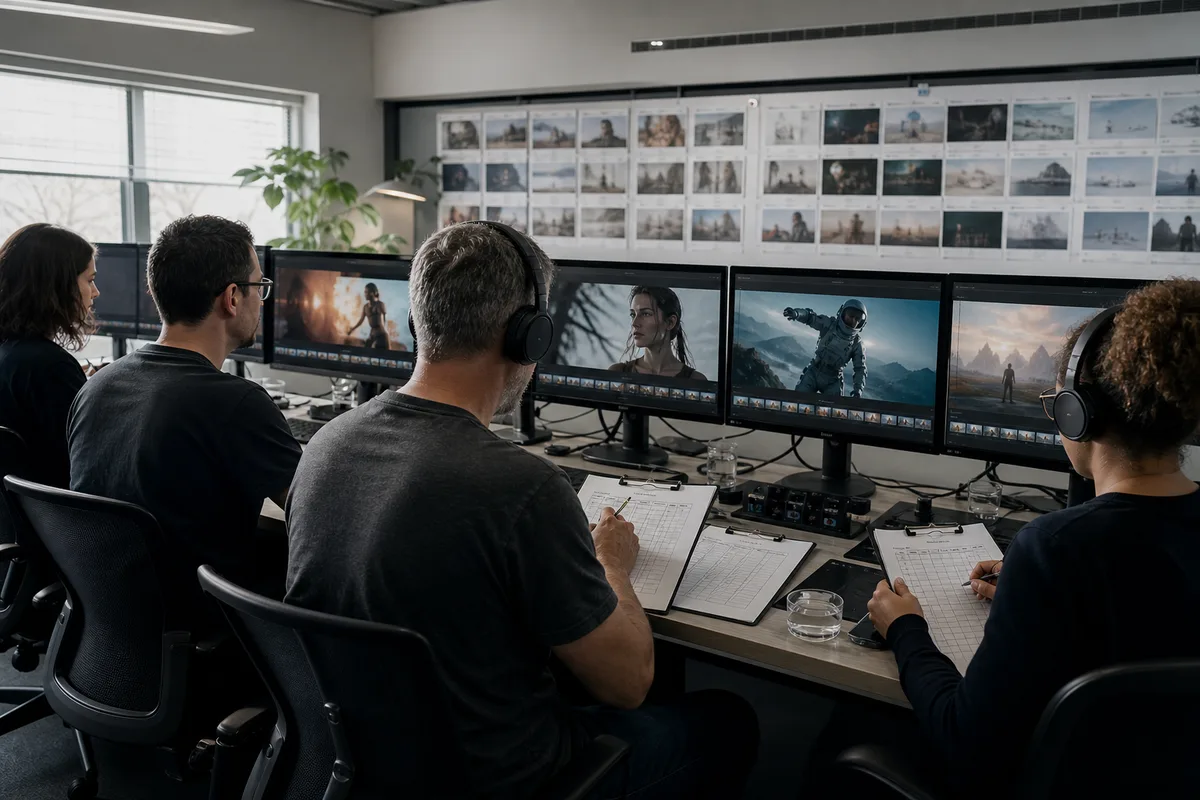
A useful MiniMax H3 real-world test should measure whether a generated clip can enter a production workflow, not whether one selected frame looks impressive. The evaluation must include instruction following, temporal stability, identity, physical interaction, camera behavior, audio, text, latency, credit cost, and the number of attempts required to obtain an acceptable result.
Editorial status: This page defines the test method used to evaluate MiniMax H3 outputs on this site. The authorized gallery demonstrates the range of available examples, but it is not presented as a controlled benchmark. Scored results should be added only when the same prompts, settings, references, and review rules have been run and recorded.
What counts as a fair test?
AI video varies between generations. One success or failure does not establish a universal capability. A fair evaluation uses production-like prompts, repeats each test, keeps settings visible, and separates observed results from vendor claims.
For each scenario, record:
- complete prompt and reference roles;
- duration, ratio, and resolution;
- number and type of reference files;
- generation attempts;
- task time and final status;
- credits reserved and settled;
- which outputs were usable without repair;
- specific failure categories.
Use at least four variations per prompt for an early directional test. A stronger benchmark uses more jobs and blinded reviewers. Do not change the prompt halfway through a comparison without creating a new test version.
The seven test categories
1. Product geometry and material
Use an object with recognizable proportions, moving reflections, small design details, and a fixed logo area. Ask for a controlled orbit and one visible interaction. Inspect whether the object keeps its shape, whether reflections follow the camera, and whether labels mutate between frames.
A product shot may look polished while quietly changing the cap, button count, dial marks, or surface finish. Review frame by frame. For exact brand text, note whether a post-production overlay is still required.
2. Character identity and performance
Test a close-up with dialogue, a medium shot with hand movement, and a multi-shot sequence. Preserve the same face, hair, wardrobe, age, and accessories. Look for identity drift during head turns, cuts, occlusion, and expression changes.
Performance quality includes eye line, facial timing, body tension, and whether the action feels motivated. A stable face with lifeless movement is not necessarily more useful than a slightly imperfect face with a convincing performance; score identity and acting separately.
3. Physical interaction and fast motion
Use actions with contact: hand over an object, open a package, step onto a skateboard, pour a liquid, or change direction while running. Inspect anatomy, object permanence, contact points, momentum, fabric, shadows, and camera stability.
Slow cinematic motion can hide errors. Include one normal-speed interaction and one faster test. Do not judge motion from screenshots.
4. Multimodal reference control
Give each reference one role. Use an image for identity, a video for movement, and audio for voice or rhythm. Then test whether the output transfers the desired property without copying background, clothing, or unrelated objects.
Reference control should be scored on both successful transfer and unwanted leakage. The reference-to-video guide explains how to isolate those relationships.
5. Dialogue and native audio
Use a single visible speaker, exact short dialogue, restrained ambience, and no music for the first test. Then add a two-speaker exchange and an action scene. Score word accuracy, lip timing, voice consistency, effects, ambience continuity, and stereo placement.
Audio that sounds plausible but changes a required word is not acceptable for final advertising copy. Read the native audio guide for a dedicated protocol.
6. Text and interface rendering
Request a short sign, label, or title that remains visible during motion. Keep the phrase brief and avoid decorative type on the first attempt. Evaluate spelling, glyph stability, perspective, occlusion, and consistency across cuts.
The result should be recorded honestly: readable once, readable throughout, repairable in post, or unusable. “Supports text” is not the same as guaranteed typography.
7. Multi-shot continuity
Ask for two or three purposeful shots within a 10- or 15-second sequence. Keep character, wardrobe, location, time of day, prop state, and audio bed consistent. Score whether each cut advances the story and whether visual or acoustic identity resets.
Too many cuts create an ambiguous test. Begin with an establishing shot, an action shot, and a resolved final frame.
A practical scorecard
Score each output from 1 to 5 using explicit definitions.
| Dimension | 1 | 3 | 5 |
|---|---|---|---|
| Instruction following | Core request missed | Main action present with errors | All critical directions followed |
| Temporal stability | Frequent morphing | Minor drift | Stable throughout |
| Identity/product consistency | Subject changes | Recognizable with drift | Production-consistent |
| Motion and physics | Broken action | Plausible with artifacts | Convincing contact and momentum |
| Camera | Uncontrolled | Mostly follows request | Precise and useful |
| Audio | Wrong or unusable | Usable with repair | Clear, synchronized, coherent |
| Production usability | Reject | Repairable | Ready for edit |
Add a binary “accepted” field based on the real brief. Average beauty scores can conceal that no clip meets the one requirement that matters.
Gallery examples versus controlled results
The homepage gallery contains authorized MiniMax H3-related examples mapped to scene-specific prompts. It is valuable for visual discovery and prompt inspiration. It does not prove that clicking Try this will reproduce the same clip, because generation is stochastic and source examples may have used additional references, seeds, or workflows not fully available in the gallery metadata.
That distinction protects trust. Use gallery videos to ask “what type of shot is possible?” Use controlled jobs to answer “how often does this exact workflow succeed?”
Strengths worth testing first
Published capabilities make several areas especially important to verify: multimodal reference input, first-and-last-frame control, direct 2K selection, up to 15-second output, and synchronized audio. The official V2 interface documents text, image, video, and audio content roles, 768P and 2K resolution, and 4–15 second duration.
These specifications justify a test; they are not themselves a quality score. A real review should show prompts and complete clips.
Where failures are most costly
Complex interactions, multiple speaking characters, long exact text, rapid cuts, heavy occlusion, and simultaneous identity-motion-audio constraints deserve additional scrutiny. If a scene fails, simplify one dimension and rerun. That reveals whether the limitation is duration, instruction density, reference quality, or stochastic variation.
Track cost per accepted output. Four cheap failures can be more expensive than one higher-resolution success. The MiniMax H3 cost guide explains how output seconds, reference inputs, and retries affect the production budget.
How to run your own test
- Select three shots that represent your real work.
- Write a pass/fail requirement for each shot.
- Begin at four or five seconds and 768P.
- Generate four variations without changing the prompt.
- Review full clips with audio at normal speed.
- Score using the same rubric.
- Revise one instruction and repeat.
- Move only a proven prompt to longer duration or 2K.
Open the MiniMax H3 playground to begin. Save each completed result in your account and use Video History to retain links, task status, and generation context.
Sources
This independent testing framework is not affiliated with MiniMax. It intentionally avoids claiming benchmark results that have not been collected under the published protocol.
If your decision includes another model, apply this same rubric to the matched-prompt methodology in MiniMax H3 vs Seedance. Keeping prompts, durations, references, reviewer criteria, and cost accounting consistent is more informative than comparing selected promotional clips.
Apply the scorecard to model comparisons
Use the same pass/fail requirements, number of attempts, duration, resolution, references, and cost accounting for every candidate. Continue with the comparison that matches your shortlist:
- MiniMax H3 vs Kling 3.0
- MiniMax H3 vs Google Veo 3.1
- MiniMax H3 vs OpenAI Sora 2
- MiniMax H3 vs Wan 2.2
These pages use a reproducible test protocol rather than selecting a winner from unrelated showcase clips.
Categories
More Posts

Best MiniMax H3 Alternatives in 2026: 8 Models Compared
Compare current MiniMax H3 alternatives including Seedance 2.5, Kling 3.0, Veo 3.1, Runway Gen-4.5, LTX-2.3, Luma Ray3.2, Firefly, and Wan.

MiniMax H3 vs Seedance 2.5: Audio, Control, and Cost
Compare MiniMax H3 vs Seedance 2.5 across references, native audio, duration, editing, access, cost, and production workflows.

MiniMax H3 vs Runway Gen-4.5: Control, Audio, and Cost
Compare MiniMax H3 vs Runway Gen-4.5 for text and image video, multimodal references, native audio, resolution, workflow tools, iteration, and cost.
Newsletter
Join the community
Subscribe to our newsletter for the latest news and updates