MiniMax H3 Character Consistency for Multi-Shot Video
Keep MiniMax H3 characters consistent across shots with better references, identity prompts, first and last frames, continuity notes, audio, and editing.
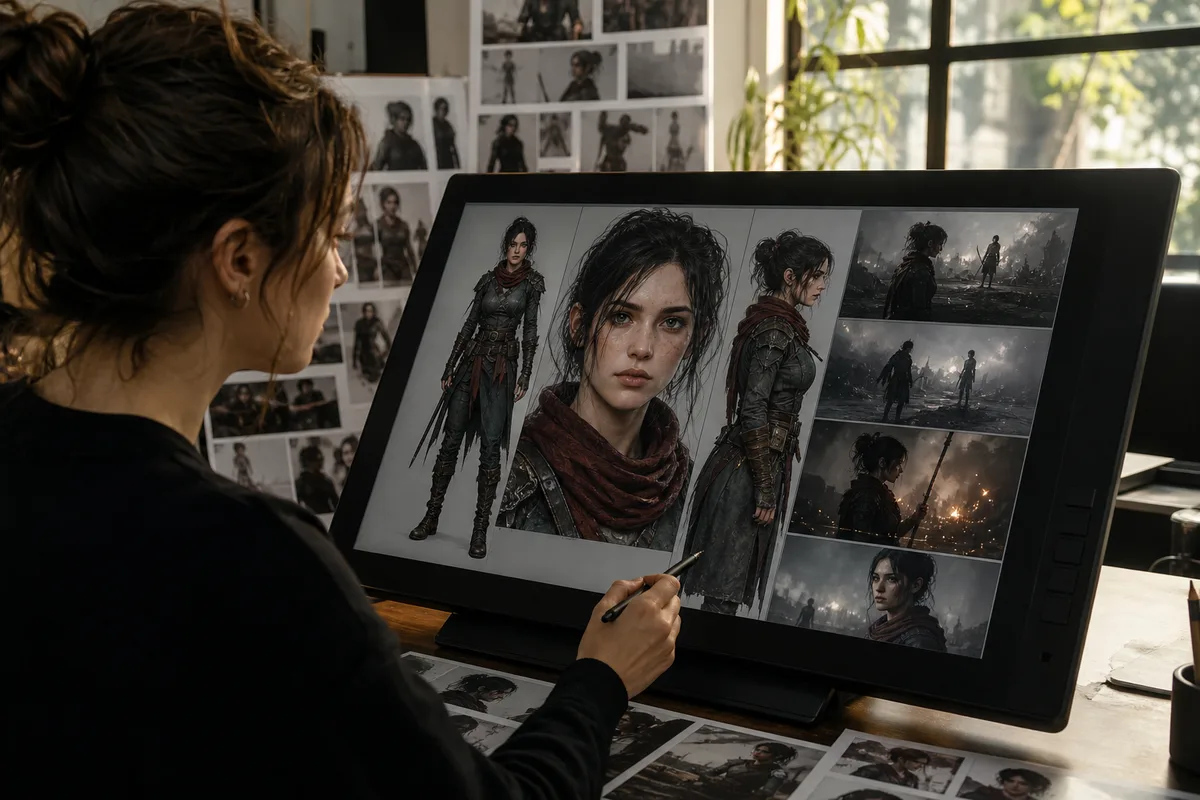
MiniMax H3 character consistency depends on controlling identity, wardrobe, body proportions, setting, camera distance, action, and sound across time. A single reference image cannot reliably communicate every view and every performance. The practical solution is to prepare a compact character reference set, define what cannot change, design shorter connected shots, and carry continuity information from one generation to the next.
Quick answer: Use clear identity and wardrobe references, repeat one stable character description, keep early shots simple, use compatible first and last frames for transitions, and generate a longer sequence as connected clips rather than forcing every event into one prompt. Review face, hair, clothing, props, voice, lighting, and screen direction after every shot.
Why characters drift
Video generation must solve appearance and motion simultaneously. Identity becomes harder to preserve when a face turns away, becomes small, passes behind an object, changes lighting, moves rapidly, or crosses a cut. Multiple people and wardrobe details add more opportunities for attributes to swap.
Prompt inconsistency also causes drift. Calling the same person “a young designer,” “the blonde woman,” and “the founder” may be obvious to a human but introduces different descriptions. Build one identity sentence and reuse it without unnecessary synonyms.
Build a character reference set
A practical set contains only images that add distinct information:
- a sharp front or three-quarter face in neutral light;
- a full-body wardrobe image;
- an optional side profile or important expression;
- close references for unique accessories or props.
Keep hair, age, makeup, and wardrobe compatible across the images. Avoid crowd photos, heavy filters, extreme crops, and backgrounds that may leak into the new scene. Use only media you own or have permission to process.
Write roles explicitly: “Reference image 1 defines facial identity and hair. Reference image 2 defines the charcoal coat, silver pin, black trousers, and body proportions. Do not copy either background.” The official V2 API allows several reference images, but more is not automatically better.
Create a continuity sheet
Before generating, write a short continuity block that can be reused:
Character: Mara, early thirties, oval face, green eyes, shoulder-length dark curls.
Wardrobe: charcoal wool coat, small silver pin on left lapel, black trousers.
Voice: calm low English voice, measured pace.
Protected details: same face, age, hair length, coat, pin position, and body proportions.
World continuity: rainy night, warm shop windows, cool street reflections.
Do not overload it with adjectives that do not affect recognition. Protected details should be visual and testable.
Design shots around identity visibility
Start with a medium shot or close-up where the face is readable. Establish identity before an extreme wide shot or back view. If the character must turn, keep the motion controlled and avoid combining it with a fast camera orbit on the first attempt.
For two characters, assign stable positions and attributes. For example: “Mara remains on the left in the charcoal coat. Jonah remains on the right in the tan jacket.” Restate the assignment after a cut. Avoid identical wardrobes and similar silhouettes during early tests.
Use first and last frames as continuity anchors
First-and-last-frame mode is useful when a shot must begin and resolve at known compositions. The frames should depict compatible identity, geometry, aspect ratio, and lighting. The prompt then describes the motion bridge, not a complete redesign.
A reliable pattern is to use the approved final frame of one clip as a visual planning reference for the next shot. Exact automated continuation is not guaranteed, but matching composition, screen direction, wardrobe, and light reduces the discontinuity an editor must hide.
Read the First and last frame documentation for current workspace behavior. Remember that first/last-frame inputs cannot be mixed with multimodal reference roles in the same V2 request; choose the mode that solves the most important constraint for that shot.
Build longer videos from connected clips
MiniMax H3 currently supports individual outputs from 4 to 15 seconds. A 30- or 60-second story therefore requires multiple generated clips and editing. Plan the sequence before generating:
| Shot | Purpose | Continuity anchor |
|---|---|---|
| 1 | Establish character and world | Face, wardrobe, location, room tone |
| 2 | Main action | Screen direction, prop state, lighting |
| 3 | Close performance | Identity, voice, emotional beat |
| 4 | Resolution | Final prop state, camera axis, music |
Keep each clip responsible for one beat. Leave short edit handles at the beginning and end. Cut on movement, reaction, sound, or an object crossing frame to conceal minor visual changes.
Preserve voice and sound continuity
Character identity includes voice. Repeat language, tone, pacing, and acoustic placement. If using reference audio, state whether it defines voice character or only rhythm. Keep ambience and music consistent across clips unless the location changes.
Save clean audio elements when a final production requires exact dialogue. Native audio can provide a coherent first pass, but replacing lines in post may be safer than regenerating an otherwise approved visual shot. The native audio guide covers lip sync and mix design.
Character-consistency prompt template
[Duration and shot purpose].

Character: [reuse the exact identity description].
References: [asset roles only].
Protected continuity: [face, hair, wardrobe, accessories, body, voice].
Action beats: [one clear sequence].
Camera: [shot size, movement, screen direction, cut rule].
World: [location, time, light, weather].
Sound: [voice, ambience, effects, music continuity].
Do not change: [two or three critical identity features].
Common drift problems
Face changes after a turn. Slow the movement, keep the face larger, add a compatible profile reference, or split the shot.
Wardrobe details move. Name protected items and their location. Avoid fast occlusion until the base look succeeds.
Characters swap attributes. Use stable positions, distinct clothing, and separate reference roles. Reduce the number of people.
Identity changes after a cut. Limit cuts, restate continuity, and use a reaction or object insert between difficult angles.
The next clip feels like another location. Reuse light direction, palette, weather, lens character, ambience, and screen direction.
A long prompt produces chaotic action. Split the story into shots and generate each beat separately.
A cost-aware iteration method
Test identity at four seconds and 768P. Once the character remains stable, test one difficult angle. Only then move to longer or 2K output. This isolates expensive failures. Track attempts and accepted shots using Video History, and consult the cost guide before producing a multi-clip sequence.
Start a consistency test
Open the MiniMax H3 playground. For identity and motion references, choose Multimodal reference. For a controlled transition between two compositions, choose First & last frame. Do not promise yourself perfect continuity from one generation; design an editing workflow that can absorb variation.
Sources
This independent guide is not affiliated with MiniMax and does not claim that character continuity is guaranteed for every scene.
Categories
More Posts
MiniMax H3 Native Audio: Dialogue, Lip Sync, and Sound
Learn how MiniMax H3 native audio works, how to prompt dialogue and stereo sound, what to test, and how to improve lip sync and audio continuity.

MiniMax H3 Prompt Guide for Video, Camera, and Sound
Write better MiniMax H3 prompts for text-to-video, first and last frames, and multimodal references with a practical scene structure and examples.

MiniMax H3 Reference-to-Video Guide: Motion and Sound
Use MiniMax H3 reference images, videos, and audio to control identity, products, motion, camera rhythm, voice, and style without copying unwanted details.
Newsletter
Join the community
Subscribe to our newsletter for the latest news and updates